Uniden BC350A · Volume 3
Uniden BC350A — Vol 3: Programming
Pre-trunking desktop base
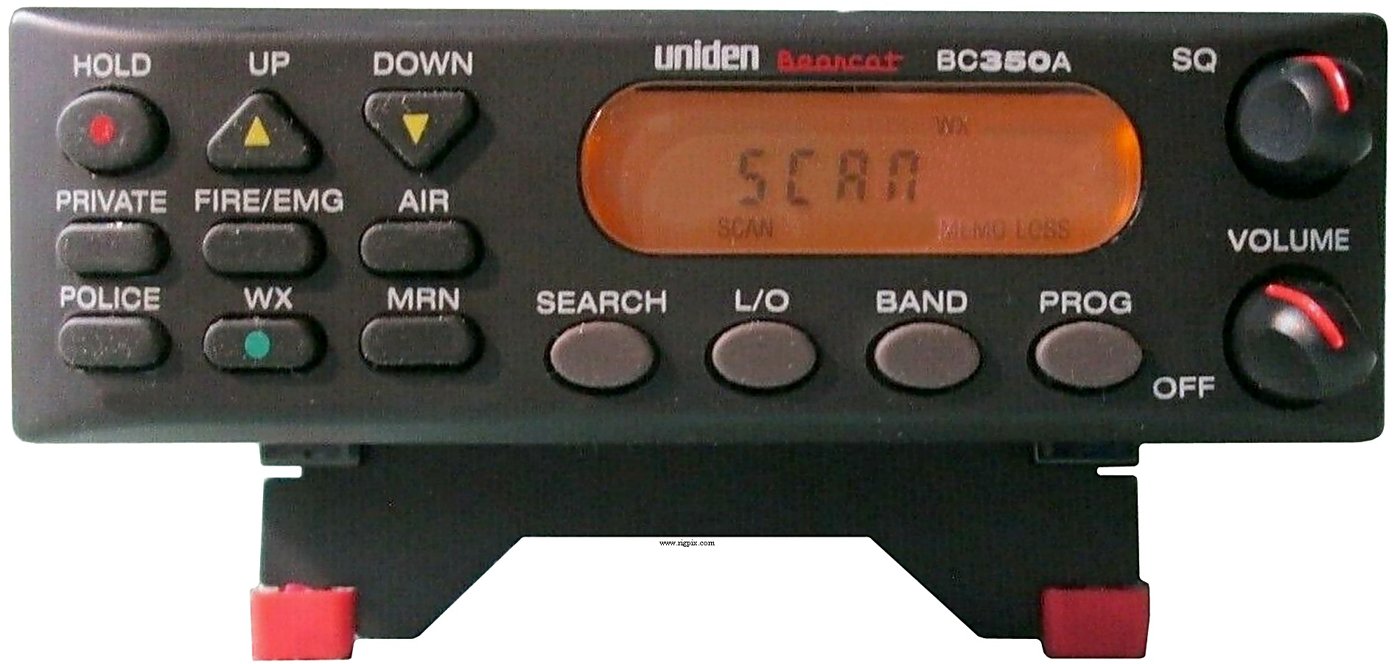
3.1 Programming workflow
Front panel only. No PC programming software, no programming cable and no firmware updates exist for the BC350A. The rear panel carries only the MEMO LOCK switch, the ANT antenna connector, the EXT. SP external-speaker jack and the DC 13.8V power input; there is no computer, serial or clone connector, and no firmware-version menu. Uniden’s download listing carries only the owner’s manual. There is no port through which software or an update could reach the radio.
What can be programmed. The BC350A is not a 100-channel memory scanner. According to the BC350A Owner’s Manual in this site’s Reference Library, it has six banks, five of them preprogrammed Service banks held in non-erasable memory:
Table 1 — What can be programmed. The BC350A is not a 100-channel memory scanner. According to the [BC350A Owner's Manual](https://scanners.fubsypoly.com/library/bc-350aom-manual/) in this site's Reference Library, it has six banks, five of them preprogrammed Service banks held in non-erasable memory
| Bank | Contents | User-programmable channels |
|---|---|---|
| POLICE | Preprogrammed police frequencies | 20 |
| FIRE/EMG | Preprogrammed fire and emergency frequencies | 10 |
| AIR | Search bank covering the whole aircraft band, 108.000–136.975 MHz | none |
| MRN | All 90 marine channels | none |
| WX | 7 NOAA weather frequencies | none |
| PRIVATE | Empty, fully user-programmable | 20 |
Only the PRIVATE, POLICE and FIRE/EMG banks accept programming. Pressing WX, AIR or MRN in Program Mode shows “Error”, and the manual warns that the frequency being programmed may be lost.
Getting a frequency onto the display. Any displayed frequency can be programmed. An active frequency can be found by scanning a service bank or by searching a band. A known but inactive frequency is reached by pressing SEARCH, choosing the band that covers it with BAND, pressing HOLD when the search is near it, and stepping to it with UP or DOWN.
Programming a channel (owner’s manual, “Programming Frequencies”):
- With the wanted frequency on the display, press HOLD.
- Press PROG. “CH” appears and blinks to show Program Mode.
- Press the destination bank key: PRIVATE, POLICE or FIRE/EMG. The display alternates between the first available channel and the frequency to be stored.
- Press PROG to store the frequency and end programming.
Pressing BAND at any point before step 4 leaves Program Mode without storing anything.
Erasing a channel means programming the null frequency “000.0000” into it. That value can be found on an open PRIVATE channel, or in Program Mode one step below the lower limit (or above the upper limit) of any search band.
No tags, no names. The display shows channel numbers and frequencies only. The only record of what a channel carries is a written list kept beside the scanner.
Program lock. Setting the rear-panel MEMO LOCK switch to ON disables the PROG key. Pressing PROG then gives an error tone and shows “PrG-Loc”.
3.2 Keeping a record of the programming
There is no codeplug in the modern sense: no file, no export and no software database. The programmed channels exist only in the radio’s memory, so the backup is a written list:
- Keep the channel list as a text file, for example
../../programs/uniden-bc350a/notes.md, with one row per programmed channel: bank, channel number, frequency, and what it carries. - Keep a printed copy beside the scanner. The paper is the working reference and the file is the recovery reference.
- Update the file after every programming session, with the date and the change.
Memory retention. The manual describes a memory back-up system that holds the stored frequencies for about 30 days without power. A scanner left unpowered longer than that loses its settings and shows “MEMO LOSS”, and every programmed channel then has to be re-entered by hand from the written list.
Comments (0)