Uniden BC355N · Volume 3
Uniden BC355N — Vol 3: Programming
Compact analog scanner — NASCAR/race-day staple
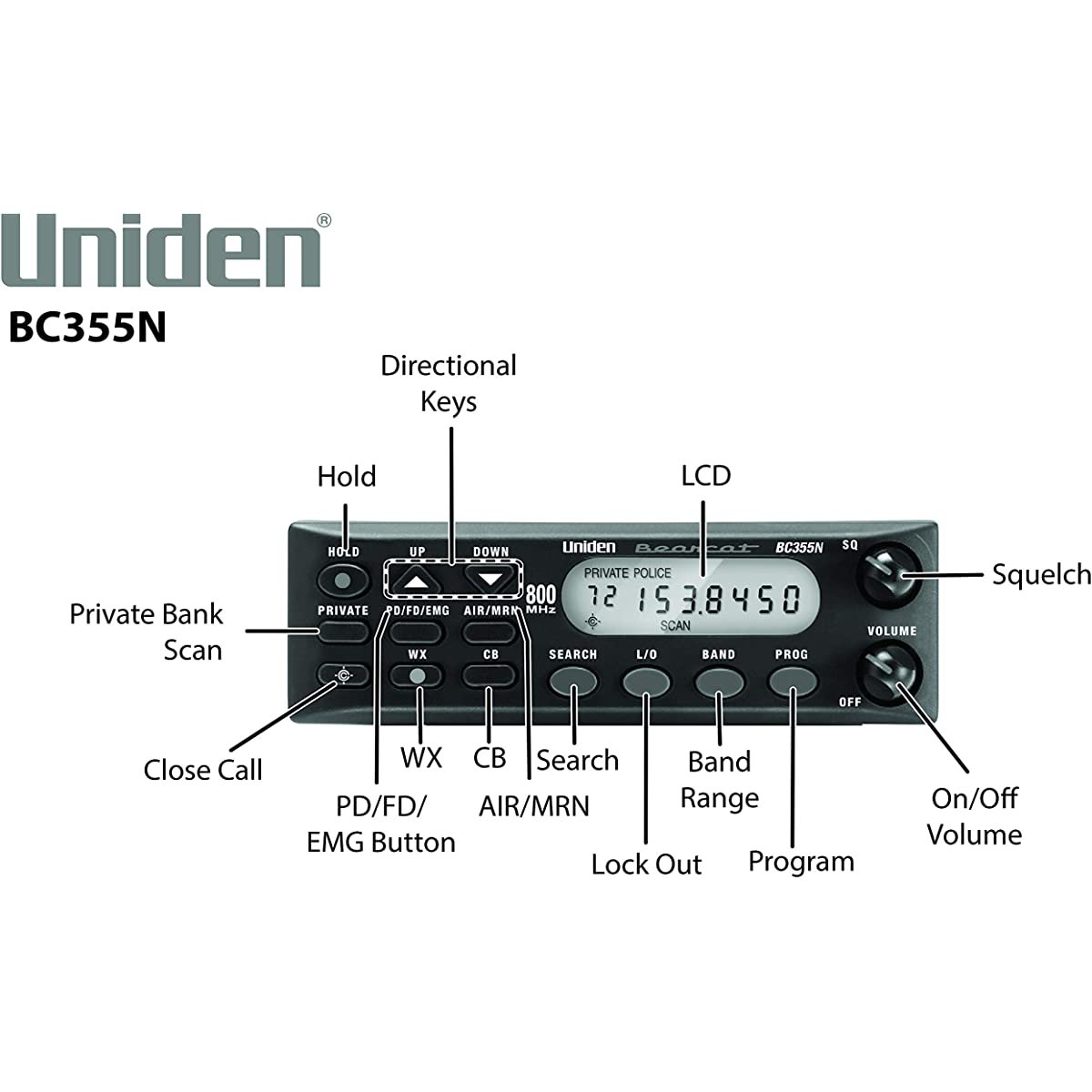
3.1 Programming workflow
Three programming paths, ranked by likely usage:
FreeScan — the de-facto community-standard Uniden CPS alternative, freeware, Windows. Supports the entire legacy Uniden lineup including the BC355N. Spreadsheet-style channel grid; copy/paste from RadioReference exports, sort by frequency, bulk-edit alpha tags, write the entire 800-channel codeplug in one USB session. This is the right tool for the BC355N — the Uniden first-party tool is dated, Windows-only, and lower-quality. See Vol 3 (Programming Software Landscape) for the FreeScan deep treatment.
Uniden first-party PC Software — Windows-only, downloadable from the Uniden BC355N product page. Functionally sufficient for read/edit/write but the UI is dated and lacks FreeScan’s bulk-edit conveniences. Use only if FreeScan ever drops support (it has not in 15+ years).
Front-panel manual entry — last resort. The keypad supports numeric frequency entry directly into a memory slot (PROG → channel → frequency → enter), but no alpha tags from the front panel. Useful for emergency mid-trip programming when the laptop is at home — type it in, listen, write a sticky note to reconcile back to the master codeplug later.
Programming cable: standard USB-A to USB-mini-B. On Windows the radio enumerates as a virtual COM port via Prolific PL2303 or FTDI FT232R bridge. On Linux the kernel’s pl2303 or ftdi_sio modules pick it up automatically and the device appears as /dev/ttyUSB0. No first-party Linux tool; FreeScan runs under Wine acceptably per community reports (TBD — verify locally).
Programming session workflow:
- Plug the radio into 12 V power and the USB cable into the laptop. Power-on the radio.
- Launch FreeScan. Select model “BC355N” (or BC355N’s family if FreeScan groups it; check the FreeScan model list).
- Click “Read from radio.” This pulls the current codeplug into the spreadsheet. Save this immediately to a date-stamped file as the rollback target.
- Edit channels — paste RadioReference exports, bulk-rename, reorganize banks. For NASCAR weekends, swap in the track-specific driver / spotter / team frequencies (RadioReference maintains track-by-track lists).
- Click “Write to radio.” This pushes the codeplug back. The radio reboots automatically and the new codeplug is live.
- Save the new codeplug to the master
programs/directory with a clear filename. See §5.
Total programming session for a clean rebuild of the codeplug: about 15-30 minutes including reading, editing, and writing. For a NASCAR-weekend swap-in of a track-specific channel list, more like 5 minutes — the bulk of the codeplug stays static; only the racing bank gets edited.
3.2 Codeplug backups
Codeplug files live in ../../programs/uniden-bc355n/. Filename convention: bc355n_{YYYYMMDD}_{purpose}.{ext} where extension is .scn (FreeScan native) or whatever Uniden’s first-party tool produces. The formats are not fully cross-compatible — pick one tool and stay with it for the backup chain.
Most recent backup: TBD — verify which codeplug is currently loaded.
Cadence:
- Before any edit session: read-and-save current radio state as
bc355n_{date}_pre_edit.scn(rollback target). - After any edit session: write-and-save as
bc355n_{date}_{purpose}.scnwhere purpose names the change (nascar_charlotte_2026,marine_charleston_2026, etc.). - Before any race weekend or trip: save current, write the trip-specific version.
- After any factory reset (see §7): re-save the post-reset state as a known-good baseline.
Restore: open the saved .scn in FreeScan, click “Write to radio.” Under 5 minutes including USB connect. The radio cannot be bricked by a bad codeplug — worst case, write the factory-default file back.
“I lost the laptop on the trip” recovery: the radio retains its codeplug in non-volatile memory across power cycles. You only lose it on a factory reset or after the RTC coin-cell dies (10+ years). Even without the laptop mid-trip, the radio keeps working with the last programmed state.
Comments (0)