Uniden BCD396XT · Volume 3
Uniden BCD396XT — Vol 3: Programming
P25 Phase II, ProVoice option, AmbeXT vocoder
3.1 Programming workflow
The 396XT’s programming workflow is mature, well-documented in the community, and well-served by free third-party software. The radio itself supports manual channel entry from the keypad (tedious but always available); for any serious codeplug work, the host-software flow is the way.
Connection. USB programming cable, mini-USB-B to USB-A. Generic mini-USB cables work; the radio enumerates as a USB-Serial COM port on Windows. The default Prolific or FTDI driver from Windows Update typically handles it; if the COM port doesn’t appear, the Sentinel install bundle includes the Uniden-blessed driver. Find the assigned COM number in Device Manager → Ports (COM & LPT).
Software options.
Table 1 — Software options.
| Software | Cost | OS | Strength | Weakness |
|---|---|---|---|---|
| Uniden CPS (official) | Free | Windows | Vendor-blessed, exact factory format | Dated UI (2010-vintage); slow database imports; clunky workflow |
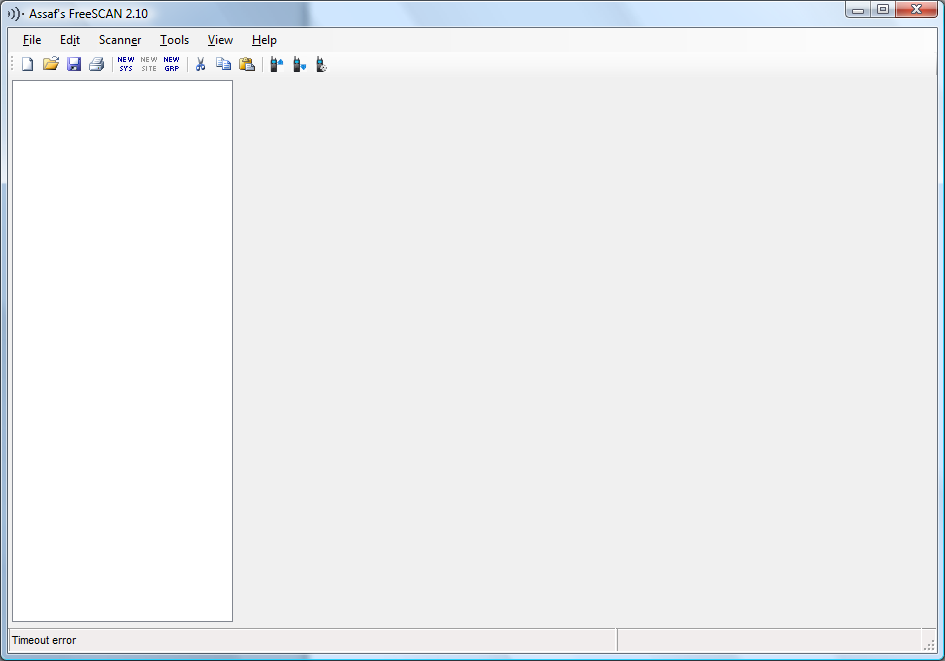
| FreeScan | Free | Windows | Active community development; clean import from RadioReference; the practical choice for 396XT-family programming | Third-party — Uniden offers no support |
| ProScan | Paid (~$50 USD mid-2026) | Windows | Polished UI; live monitoring + recording; preferred by power users | Cost; license per-PC |
| ARC396 (BuTel) | Paid (~$30 USD mid-2026) | Windows | European-favored alternative; good for AnalogClintonAndShiawassee-type spreadsheet-driven workflows | Less community traction than FreeScan in North America |
For the 396XT specifically, FreeScan is the practical choice. It is actively maintained as of 2025, imports RadioReference data exports directly, and writes a clean .396XT codeplug that the radio loads without fuss. The deep treatment of FreeScan (including the RadioReference subscription flow, the import wizard, the favorite-list editing model, and the upload sequence) lives in Vol 3.
Manual programming reference. The HTML manual extracted from the community-published “Easier to Read” manual lives at ../manuals/uniden-bcd396xt/manual-html-files/ and is the load-bearing keystroke reference for any operation done at the keypad — adding a single channel, editing a quick-key assignment, manually configuring a P25 system, etc. The community-published version is markedly more usable than the Uniden-shipped PDF (which is the same content rearranged into a dense reference format optimized for legal compliance rather than operator workflow). When in the field and the laptop is at home, the keypad-driven workflow with the HTML manual on a phone screen is the fallback.
Codeplug format. The 396XT writes and reads the .396XT extension (technically .396XT is the FreeScan convention; Uniden’s own CPS uses .HPE for some files in the same family — verify by inspection if the archive has mixed formats). Underneath, the file is a structured binary; FreeScan exposes the content as an editable tree (systems → sites → groups → channels) with import/export to CSV for bulk editing in a spreadsheet.
Note on the older .996 format. The radio’s predecessors (BC796D, BC796T, BC246T) wrote a .996 codeplug format. There are at least two .996 files in programs/uniden-misc/ (AnalogClintonAndShiawassee.996, ClintonAndShiawassee.996) likely targeting that older family. These files are not directly loadable into the 396XT — the underlying memory model changed when the 396XT moved to dynamic memory allocation. FreeScan and some third-party tools can convert the .996 content into a 396XT-compatible format by re-mapping the fixed-bank channel layout into dynamic systems / groups; the conversion is lossy (some metadata doesn’t translate) but produces a working starting point. See §7 for the migration approach.
Firmware updates. Uniden’s firmware-update tool is a separate Windows utility (BC396XT_FirmwareUpdate.exe or similar — verify the exact name in the Sentinel install bundle, TBD). The 396XT was originally shipped with P25 Phase I only; Phase II support, the AmbeXT vocoder firmware revisions, and bug fixes have been issued in batches through ~2019. Confirm the radio is running the latest published firmware before any serious deployment — particularly if the radio has been in storage for years. The version is reported in the radio’s Settings menu under “About” or “Version” (TBD verify menu path).
3.2 Codeplug backups
Codeplug files. The 396XT codeplug archive lives at ../../programs/uniden-bcd396xt/. Most recent backup: TBD — verify which codeplug is the current bench reference. The archive should be append-only — never delete an old codeplug, since “I want to restore the configuration from before the firmware update broke X” is exactly the recovery scenario that a versioned codeplug archive solves.
Legacy .996 files. As noted in §4, AnalogClintonAndShiawassee.996 and ClintonAndShiawassee.996 are in programs/uniden-misc/. These targeting the BC246T-era family (cross-link to Vol 17) and not the 396XT directly. Their value for the 396XT is as a source of frequencies — the Clinton County and Shiawassee County (Michigan) public-safety frequencies they contain can be migrated forward via FreeScan’s .996-import or by manual re-entry into a fresh 396XT codeplug.
Backup cadence.
- After every codeplug edit (new system added, quick-key assignment changed, channel group reorganized).
- Before any firmware update — firmware updates do not erase user codeplug data, but the recovery scenario is “the update partially completed and the radio is now misbehaving” — having a known-good codeplug to restore to is the recovery path.
- Before any long deployment — taking the codeplug archive on a thumb drive into the field means a corrupted codeplug can be re-flashed in 5 minutes.
Restore procedure. Connect cable → FreeScan → File → Open → select .396XT → Radio → Upload to Radio. The radio reboots after upload; the new codeplug is active immediately. The whole cycle is ~2-3 minutes for a typical codeplug (~50-100 systems).
Naming convention. The recommended filename pattern is bcd396xt-YYYY-MM-DD-{context}.396XT — date stamps the snapshot, context disambiguates (daily-driver, road-trip-michigan, field-day-2026, etc.). This matches the per-radio codeplug naming used elsewhere in the project (Vol 1 §6 ↗) and makes the archive self-documenting under ls -lt.
Comments (0)