Uniden BC355N · Volume 4
Uniden BC355N — Vol 4: Reference
Compact analog scanner — NASCAR/race-day staple
4.1 Tips and tricks
Clear All Memory is a full reset. Turning the scanner on while holding PROG and L/O clears all memory and resets the band plan to USA (owner’s manual, p. 57). It erases every programmed channel, and with no PC connection the channels can only be re-entered by hand, so a written channel list should exist before this is used.
Close Call as a road-trip discovery tool. Drive into an unfamiliar city, switch Close Call to Do Not Disturb, let it sweep the receive range for strong nearby transmitters. Active local frequencies trip Close Call; HOLD, PROG and a bank key store the hit in a programmable channel. Build a quick local channel list in 15-30 minutes of driving without any pre-programming. Less precise than reading RadioReference ahead of time, but useful when the laptop is at home.
Low power draw enables battery-powered standalone use. The 200-450 mA draw means a small 7 Ah AGM runs it for a full week of continuous listening. Useful for “leave the scanner running in the deer-blind / fishing-camp / off-grid cabin” deployments. Add a 10 W solar panel and a cheap PWM charge controller and the radio runs indefinitely.
Race frequencies go into the programmable channels. The manual lists no racing bank among the preprogrammed service banks (Police, Fire/EMG, Air, Marine, Weather, CB). For a race weekend, the current driver/spotter/team list from RadioReference or the track’s published scanner-frequency list is entered by hand into the Private bank’s 100 channels, overwriting the previous event’s list.
It cannot be made to do digital. The BC355N has no P25 decoder and no firmware updates exist for it; with no PC connection, there is no way to load different firmware. If you need P25 in the vehicle, upgrade to the BCD536HP (Vol 15) ↗ or SDS200 (Vol 14) ↗.
4.2 Firmware and software on this site
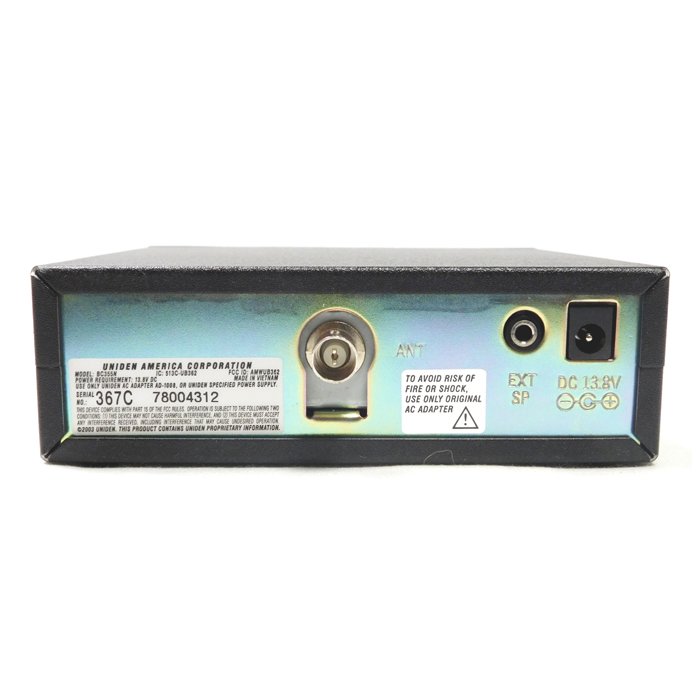
No firmware updates and no PC programming software exist for the BC355N, so nothing for it is archived in this site’s downloads. The radio has no computer connection, and all programming is done from the front panel (see the Programming volume).
4.3 Resources
Manuals: the BC355N Owner’s Manual is in this site’s Reference Library. Uniden publishes no PC programming software for the model, so there is no software manual.
Vendor and community references:
- Uniden BC355N download listing: https://www.uniden.info/download/index.cfm?s=BC355N — owner’s manuals only (English, Spanish, French); no firmware or software.
- RadioReference BC355N wiki: https://wiki.radioreference.com/index.php/BC355N — community notes; lists programming from a PC program under “Not capable of”.
- RadioReference NASCAR section: https://www.radioreference.com/apps/db/?stid=nascar — current racing frequency lists, community-maintained.
- Uniden support forums: https://forums.uniden.com — first-party community for radio-specific troubleshooting.
Sibling cross-references inside this series:
- Vol 1 — Overview ↗ and the per-radio template
- Vol 17 — Uniden BC246T ↗ (legacy handheld trunking scanner)
- Vol 18 — Uniden BC350A ↗ (legacy desktop analog conventional — same feature class in a base chassis)
- Vol 20 — Uniden Homepatrol ↗ (legacy zip-code-programmable digital — easy-button alternative)
- Vol 3 — Programming Software Landscape ↗ — FreeScan / Sentinel / ProScan / Uniden CPS / CHIRP (none of which supports the BC355N)
- Vol 4 — Frequency Planning & License Envelope ↗ — receive-only framing, ECPA § 2511, Part 15 cellular block
Sibling cross-references into Hack Tools / Antennas:
- Antennas Vol 9 — Portable & mobile monopoles — NMO mag-mounts, BNC-to-NMO adapters
- Antennas Vol 29 — Use-case Matrix per radio — per-radio antenna recommendations including the BC355N
Comments (0)